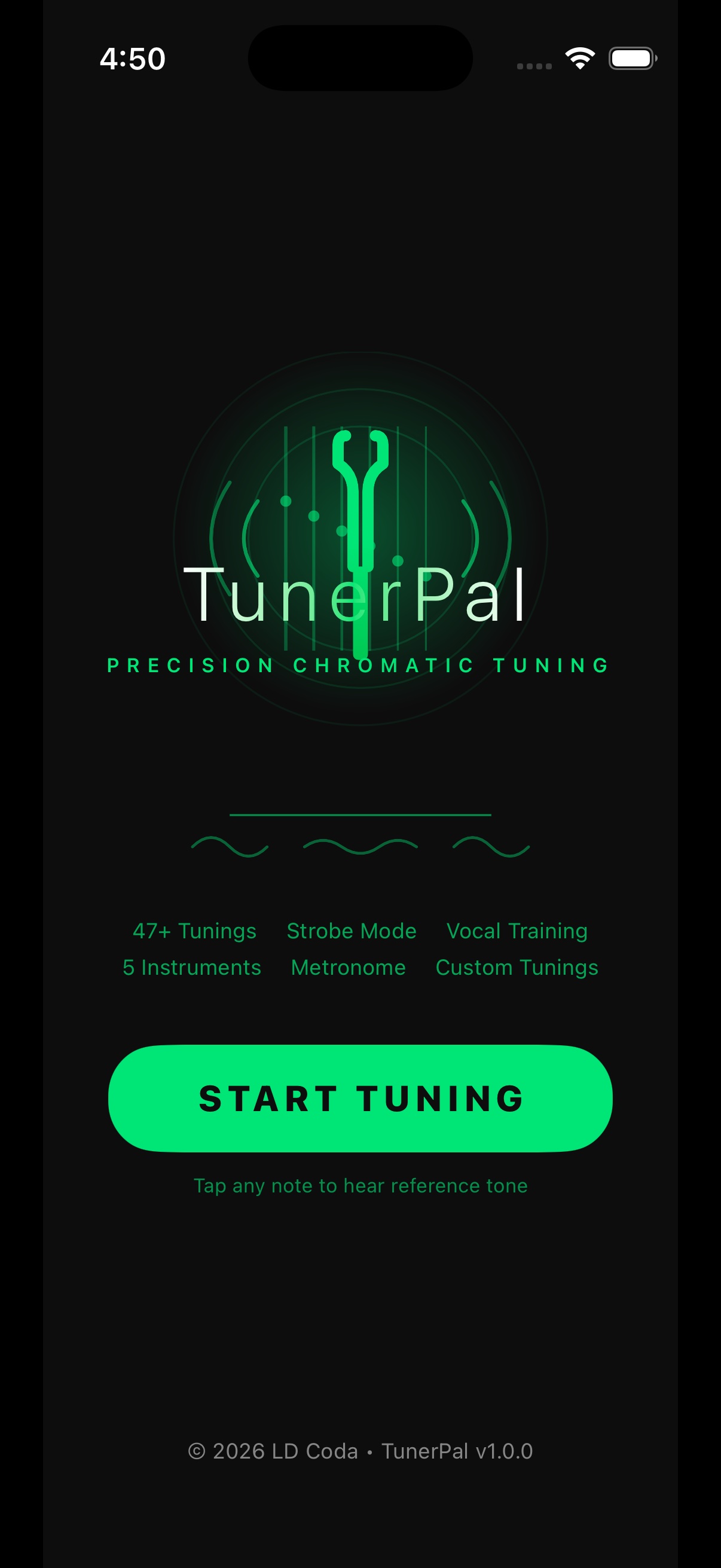
Coming soon · Android + iOS

TunerPal

Precision chromatic tuning

Needle, strobe and vocal tuning, plus a metronome, in one app.

  • 53 tunings
  • Works offline
  • No account, no ads
Scroll
TunerPal's Tuner tab in the Classic theme: Guitar, Standard, A 440 at the top, the needle upright over a large green E4 reading 0 cents and 329.6 Hz on a raised faceplate whose rim glows green, with the TunerPal mark at its foot, All strings in tune, the Needle, Strobe and Vocal switch, and AUTO beside six string tiles, each with a tick The Tuner tab in the Stage Pro theme: black background lit in green, the needle left of centre over E2 reading minus 12 cents and 81.8 Hz on the faceplate, Tune up, and a green AUTO chip
Real screenshot · every string tuned
At a glance

TunerPal listens through your phone's microphone and shows how far you are from the string you're tuning: on a needle, on a strobe, or as a pitch trace for singers. Pick one of 53 tunings for guitar, bass, ukulele, banjo, mandolin or orchestral strings, tap a string to hear it, and open the Metronome tab when it's time to practise.

A native Android app with no account, no ads and no tracking. It works offline, and the theme button at the top of the page shows both of its looks.

  • 53
    built-in tunings, plus your own
  • 400–480Hz
    A4 reference, 0.5 Hz steps
  • 20–300BPM
    metronome, nine time signatures
Features

Three ways to read a note. One to keep time.

Needle, Strobe and Vocal show what you're playing, on the Tuner tab; the metronome has a tab of its own. TunerPal opens straight into listening, with nothing to press first.

  • 01

    Needle

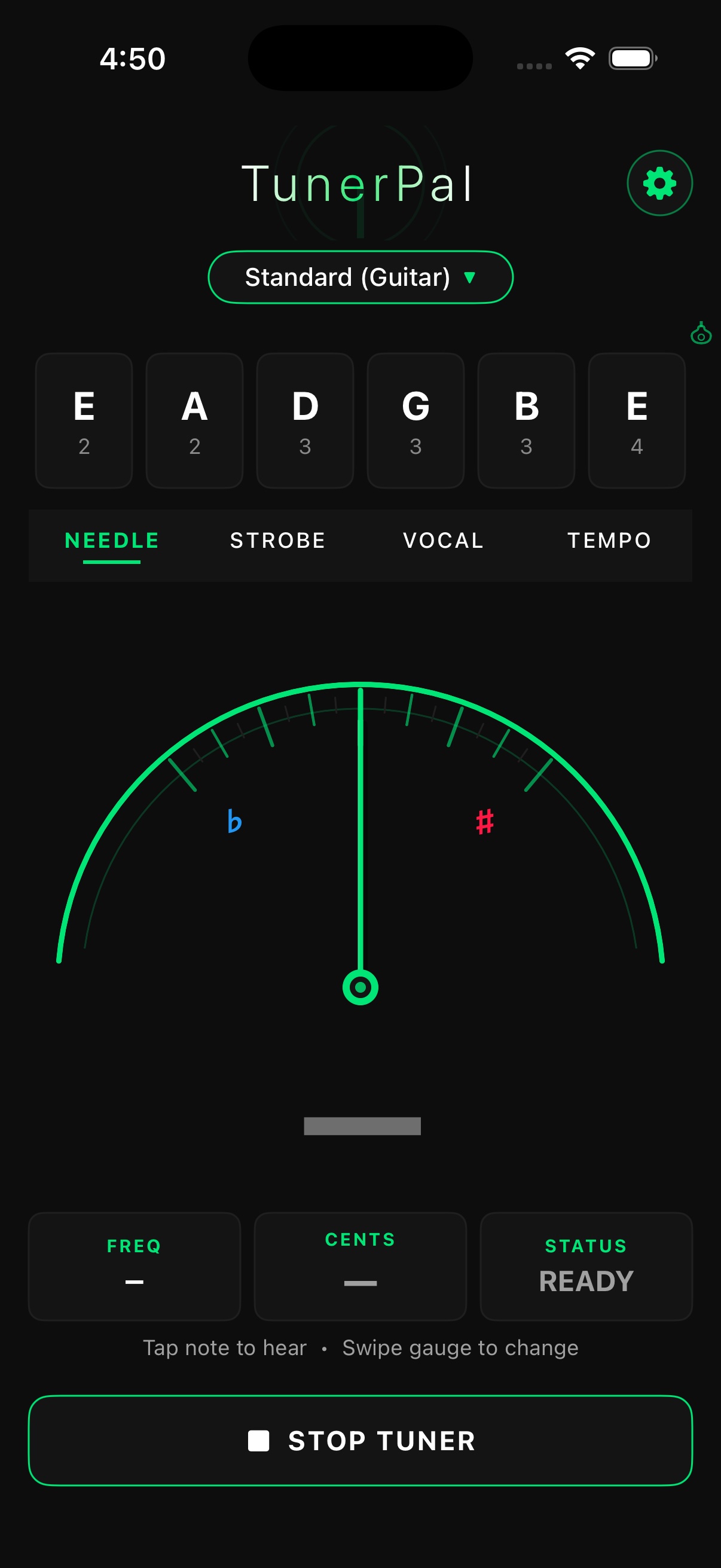
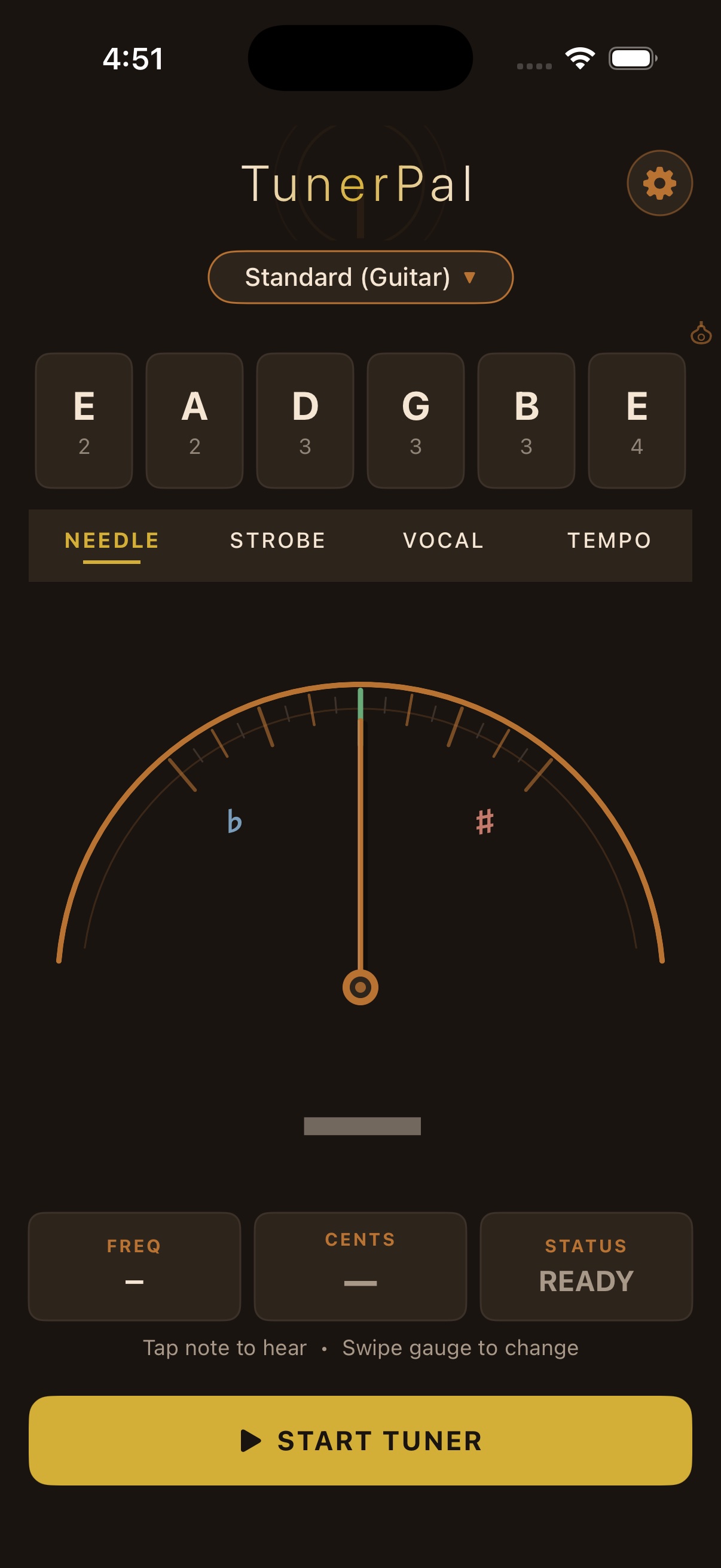
    Flat to the left, sharp to the right, ±50 cents either side. It aims at the string you're tuning, shades from green through yellow and amber as you drift off, and the plate's rim turns green when you're in tune.

  • 02

    Strobe

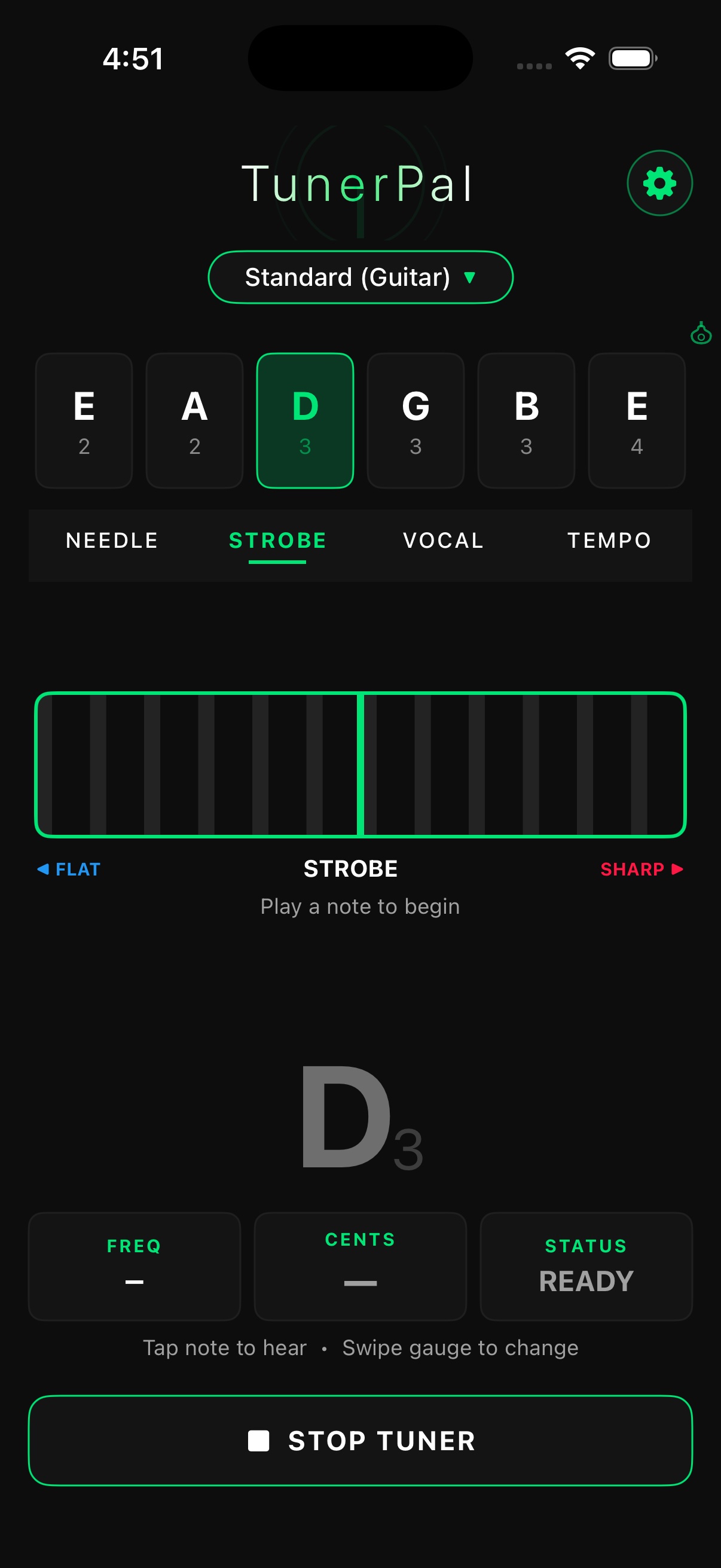
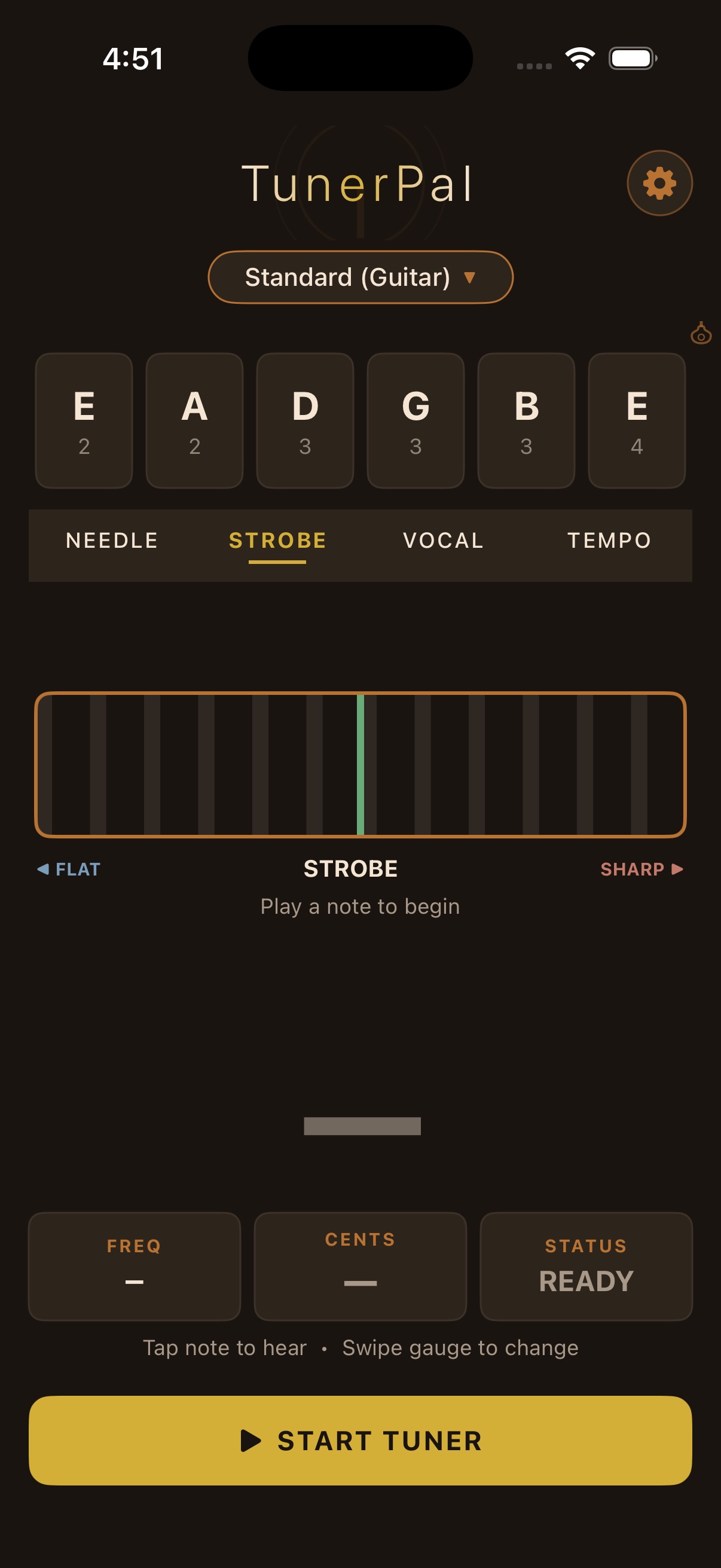
    Three bands of bars drift right when you're sharp and left when you're flat, faster the further off you are, and stand still at 0 cents.

  • 03

    Vocal

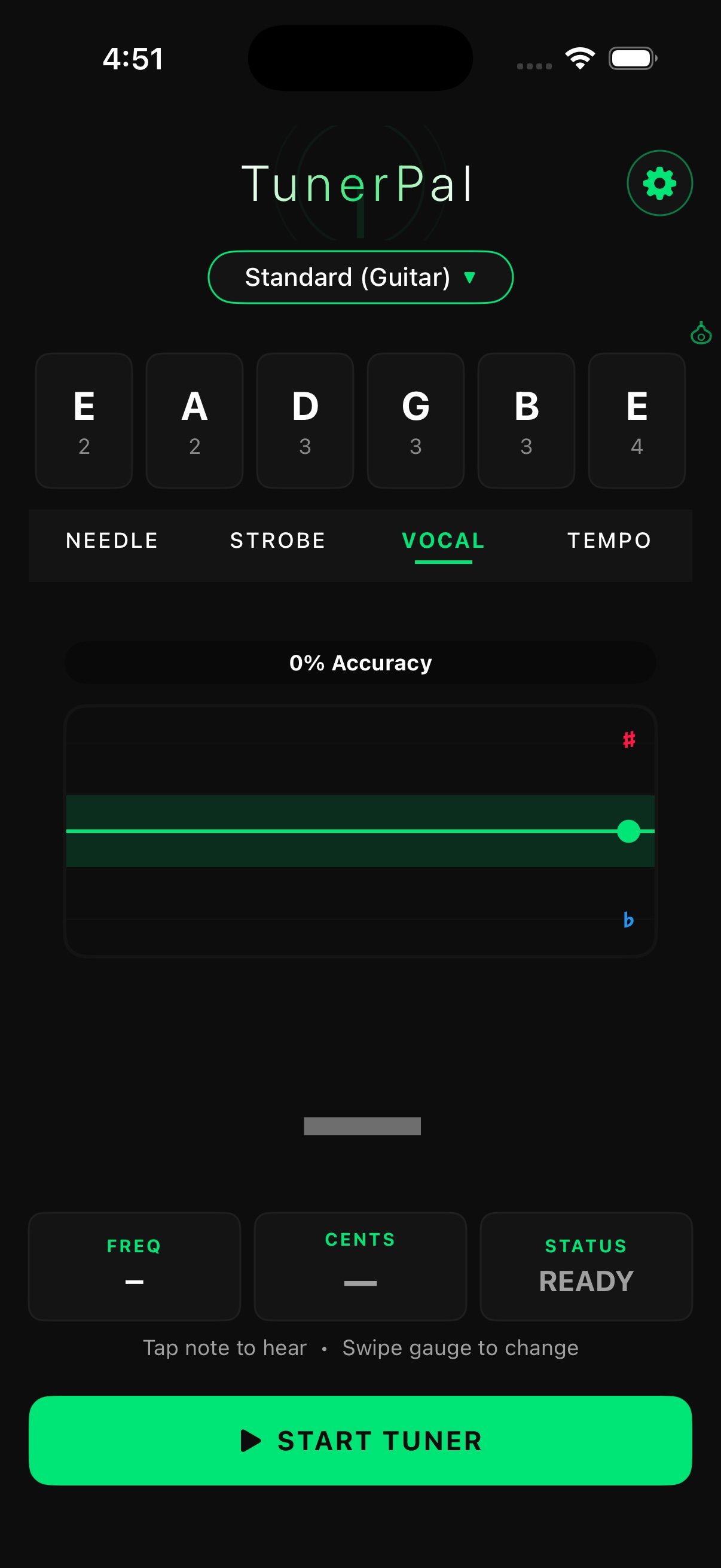
    Sing and watch a six-second pitch trace on a grid of notes, with a score for how much of it was on pitch.

  • 04

    Metronome

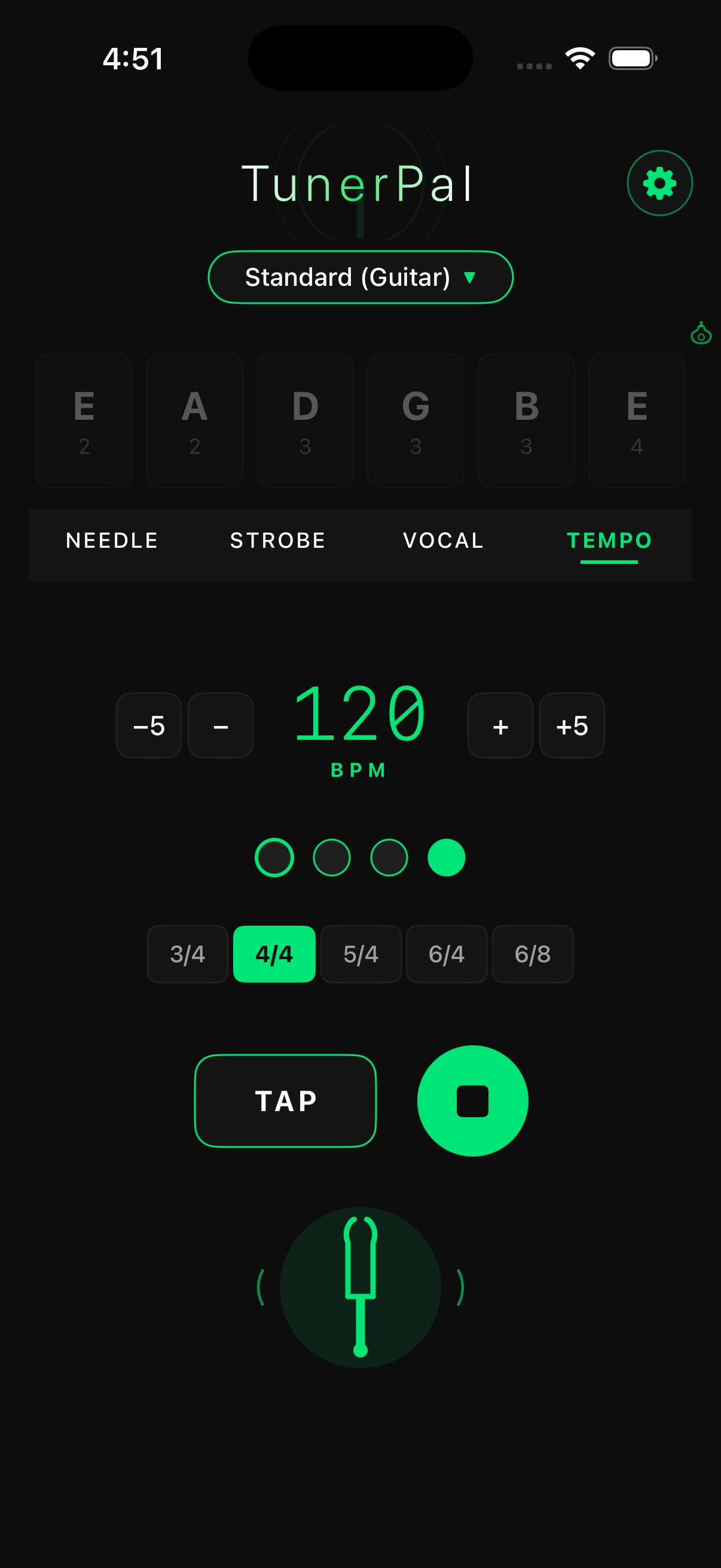
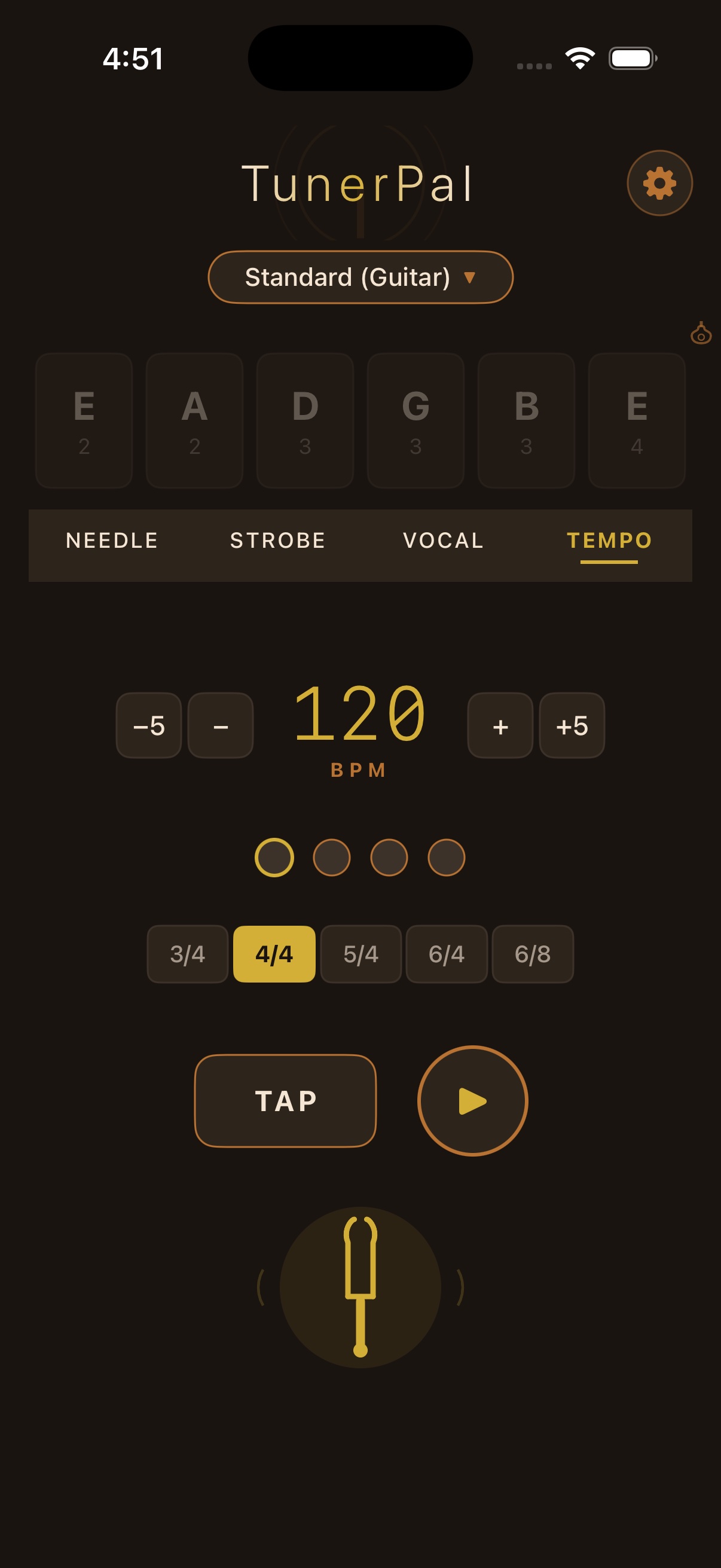
    20 to 300 BPM in nine time signatures, with accents per beat, subdivisions, four sounds and tap tempo.

  • 05

    53 tunings

    Guitar, bass, ukulele, banjo, mandolin, violin, viola, cello and double bass. Search by name or notes, or make your own.

  • 06

    Reference tones

    Tap a string to hear it as guitar, piano or a pure tone, at the exact pitch for your A4. Long-press for a drone.

Deep dive

Built to be read at a glance.

The pictures below are real screenshots of the Android app in its default Classic theme, taken on an emulator; the moving gauge at the top of the page is an illustration.

01 — The needle

A needle that settles instead of shaking.

The needle settles quickly on a held note, without lagging behind one that's moving. With a tuning picked, it aims at the nearest string, or the one you lock, and says how many semitones off you are when you're far away. Green means you're there: the faceplate's rim lights up and the string gets a tick. Further off, the reading shades through yellow and amber, reaching coral (amber on Stage Pro) the further out of tune you are.

The needle on its faceplate in the Classic theme: an arc of tick marks between a flat and a sharp sign, the needle upright in green over a large green E4 reading 0 cents and 329.6 Hz, the plate's rim green, and the TunerPal mark and wordmark at the foot
In the app · Needle, high E in tune
02 — The strobe

A strobe that stops when you're in tune.

Like a mechanical strobe tuner, the bars move at a speed set by how far off you are: right when sharp, left when flat. As you turn the peg they slow down, and at 0 cents they stand still.

The strobe view on the faceplate: a large G3 reading minus 6 cents and 195.3 Hz above three rows of green bars in a recessed window with green centre marks, between a flat and a sharp sign, and Tune up below
In the app · Strobe, G string 6 ¢ flat
03 — Vocal

Sing it, then see it.

Vocal mode draws your pitch as a trace across a grid of notes and scores how much of it was on pitch. It's a quick way to practise holding a note or moving cleanly between them.

The vocal view: B3 at plus 2 cents and 247.2 Hz, On pitch 100 %, and a green trace stepping from A3 up to B3 and C4 and back to B3 on a grid of note names, and In tune below
In the app · Vocal, a sung phrase
04 — Tunings

53 tunings, and the ones you make.

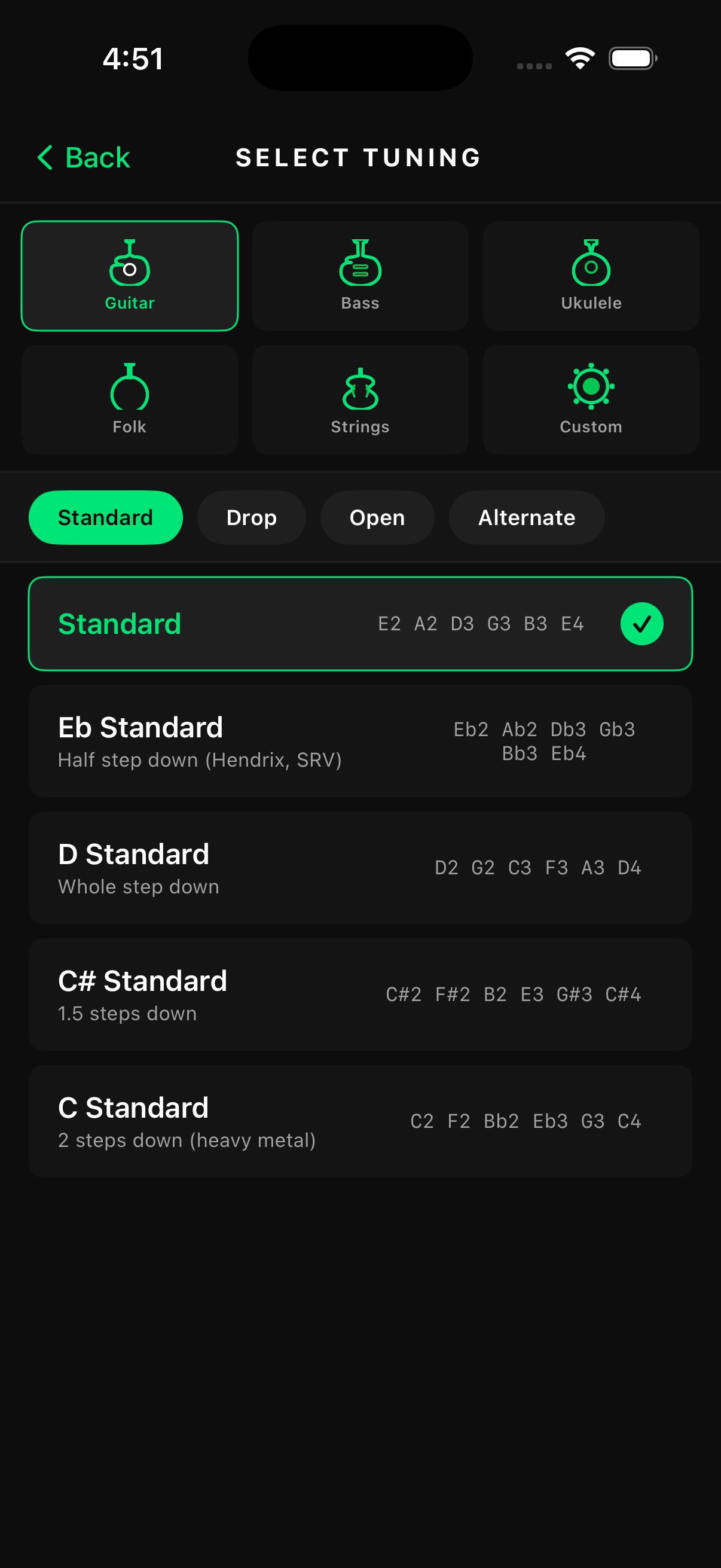
Choose a family, then a tuning: Standard, Drop, Open and Alternate for guitar, banjo and mandolin under Folk, violin, viola, cello and double bass under Strings. Search finds a tuning by name or by its notes, so typing DADGAD works. Custom tunings take up to 8 strings and stay on your phone, and Chromatic tunes anything else.

The Tunings sheet: a search field for tunings or notes, family chips Chromatic, Guitar, Bass, Ukulele, Folk and Strings with Guitar selected, and under Standard the Standard tuning EADGBE ticked above E flat Standard, D Standard and C sharp Standard
In the app · Tunings, Guitar · Standard
05 — Reference tones

Hear the note before you tune to it.

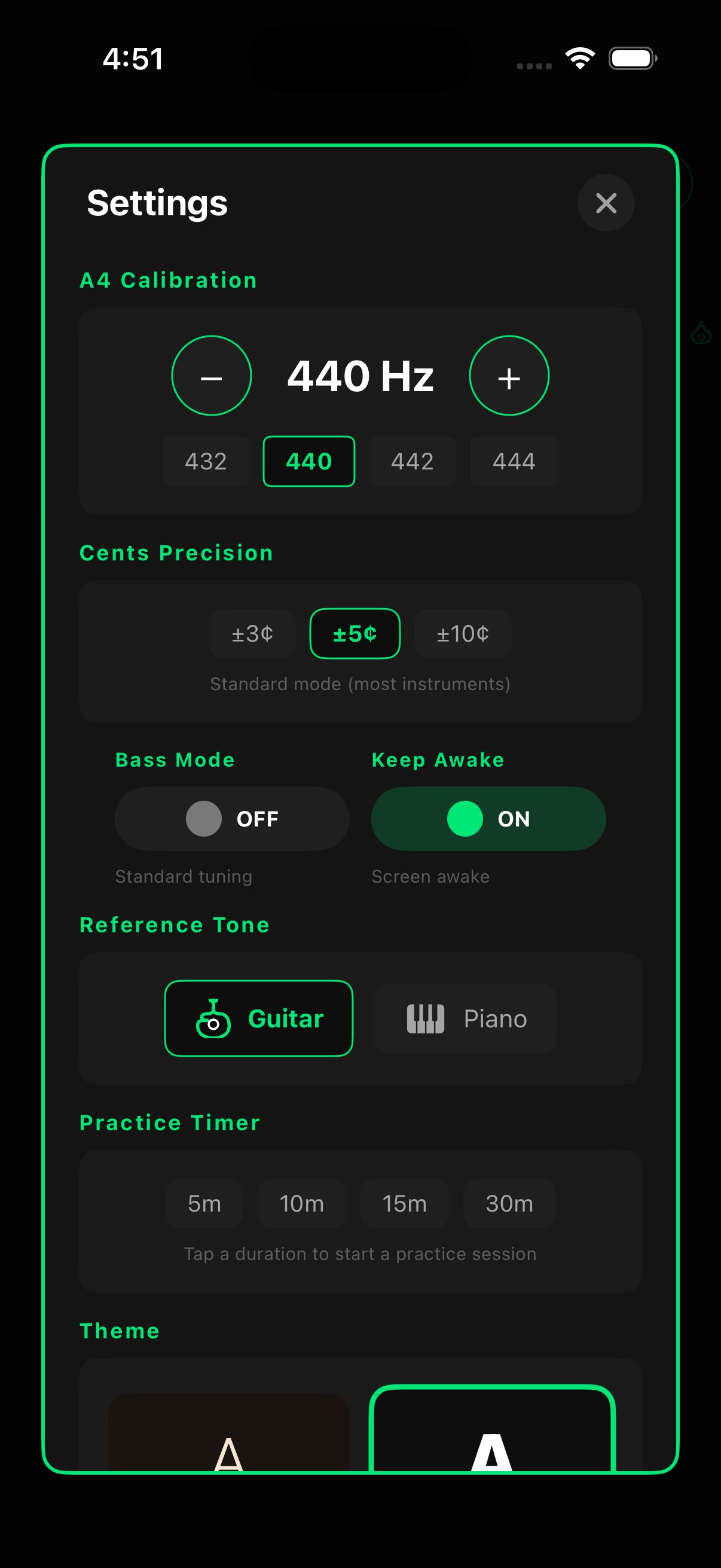
Tap a string and TunerPal plays it as a guitar, a piano or a pure tone, rendered at the exact frequency for your A4. Long-press a string for a drone; the tuner pauses while a tone plays so it never measures its own speaker. Set A4 anywhere from 400 to 480 Hz, or tap a preset.

An AUTO chip beside six string tiles, E2 A2 D3 G3 B3 E4, each with a green tick, the last one highlighted
In the app · tap a string to hear it
Settings, Reference pitch (A4): minus and plus buttons around 440 Hz, presets 415, 432, 440, 442 and 443 with 440 selected, and the In-tune range choices ±3, ±5 and ±10 cents
In the app · Settings · Reference pitch
06 — Metronome

A metronome that keeps time.

The metronome keeps rock-steady time, so the click never drifts and the beat dots stay locked to it. Set each beat to accented, normal or silent, add subdivisions, or tap the tempo in.

The Metronome tab while playing: Allegro, 120 BPM between minus and plus buttons, a tempo slider, six beat dots with accents on beats one and four and the sixth lit, and chips for 6/8, the note value and Click
In the app · Metronome, playing 6/8 at 120 BPM
07 — Practice and stage

Made for practice rooms and dark stages.

Start a practice timer from the Metronome tab; when time's up, a chime plays and a "Practice session complete" banner appears. Keep screen on holds the display while you tune, and haptics buzz as each string comes in tune. Stage Pro swaps walnut and brass for black, lit in green. TunerPal remembers your tuning and settings between launches.

Settings, Theme: two preview cards, Classic (Walnut & brass) selected with a gold outline, and Stage Pro (Black for dark stages), each with a small needle preview
In the app · Settings · Theme
How it works

Pick, play, tune.

  1. 01

    Pick a tuning

    Tap the tuning name at the top, choose a family and a tuning, or search. Low-note mode switches itself on for low tunings.

  2. 02

    Play a string

    TunerPal hears the note and aims at the nearest string, or tap a string to lock it. Not sure how it should sound? Tapping plays it.

  3. 03

    Tune to green

    Turn the peg until the needle centres or the strobe stops. Each string you tune gets a tick.

Real screens

What you'll see.

Screenshots of TunerPal for Android, unedited apart from cropping the status bar.

  • The Tuner tab: Guitar, Standard, the needle centred over a green E4 at 0 cents and 329.6 Hz on a green-rimmed faceplate, All strings in tune, and six ticked string tiles beside AUTO
    Tuner
  • The strobe with the G string locked: G3 at minus 6 cents and 195.3 Hz, three rows of green bars on the faceplate, and Tune up
    Strobe
  • Vocal mode: B3 at plus 2 cents, On pitch 100 %, and a green pitch trace across a grid of note names, with In tune below
    Vocal
  • The Metronome tab playing 120 BPM, Allegro, in 6/8 with accents on beats one and four, the Click sound, a TAP button and a stop button
    Metronome
  • The Tunings sheet: search, family chips with Guitar selected, and a list starting with Standard, E flat Standard, D Standard, C sharp Standard, C Standard, Baritone, 7-String Standard and 8-String Standard
    Tunings
  • Tuning search for open, listing Open D, Open G, Open E, Open A, Open C, Open Em, Open Dm and Open G for banjo with their notes
    Search
  • Settings: Reference pitch (A4) at 440 Hz with presets, In-tune range ±3, ±5 or ±10 cents, Accidentals sharps or flats, and Low-note mode Auto, On or Off
    Settings
  • The Tuner tab in the Stage Pro theme: black, lit in green, E2 at minus 12 cents and 81.8 Hz on the faceplate, and Tune up
    Stage Pro
Privacy

What you play stays on your phone.

TunerPal reads the microphone only while the tuner is running and only to find the pitch. There are no accounts, ads, analytics or tracking in the app.

Privacy policy
  • Microphone audio is analysed in memoryNever recorded, saved or sent anywhere.
  • Settings and custom tunings stay on the deviceNot included in Android backups.
  • One optional network featureThe Updates sign-up in Settings sends only the email address you type.
  • No tracking librariesNo analytics, ads, billing or crash reporting in the app.
What you need

What you need.

Everything TunerPal needs to run.

  • An Android phone or tablet (Android 8.0 or newer)Portrait or landscape, with a microphone
  • No accountNothing to sign up for
  • Works offlineTuning, reference tones and the metronome all work without a connection
  • Microphone accessAsked the first time you open the app, so TunerPal can hear what you're tuning
  • iPhone version coming laterThis page describes the Android app
Launch

Coming soon. Yours to keep.

TunerPalComing soon

No subscription, no ads, no in-app purchases.

  • Needle, strobe and vocal tuning
  • 53 tunings, search and custom tunings
  • Guitar, piano and pure reference tones, A4 from 400 to 480 Hz
  • Metronome and practice timer
  • Classic and Stage Pro themes
Get notified at launch
Download on the App Store Get it on Google Play

Coming soon to the App Store and Google Play

FAQ

Questions.

When can I get TunerPal?

It's coming soon to Google Play and the App Store. Choose Notify me at launch on the contact page and we'll email you when it's out.

How much does it cost?

The price will be announced at launch. There's no subscription, no ads and nothing to buy inside the app.

Does it work offline?

Yes. Tuning, reference tones and the metronome all work without a connection. The only part that uses the internet is the optional Updates sign-up in Settings.

Which instruments can I tune?

There are 53 built-in tunings for guitar (including baritone, 7- and 8-string), bass (up to 6 strings), ukulele, banjo, mandolin, violin, viola, cello and double bass, and you can make your own with up to 8 strings. For anything else, Chromatic shows the nearest note.

Does TunerPal record me?

No. The microphone signal is analysed in memory to find the pitch; nothing is recorded, saved or sent. TunerPal listens only while the Tuner tab is on screen.

Can I change the reference pitch?

Yes. Set A4 anywhere from 400 to 480 Hz: the buttons move 1 Hz, you can type a value to 0.5 Hz, or tap 415, 432, 440, 442 or 443. The tuner and the reference tones both follow it.

What are Classic and Stage Pro?

The app's two themes. Classic is walnut and brass; Stage Pro is black and lit in green, for dark stages. Switch in Settings, or try both with the theme button at the top of this page.

Will it remember my settings?

Yes. Your theme, tuning, A4, precision, keep-awake, reference-tone instrument and metronome settings are kept on your phone and restored the next time you open TunerPal.

Is there an iPhone version?

TunerPal is coming to the App Store as well. This page describes the Android app.